Summary
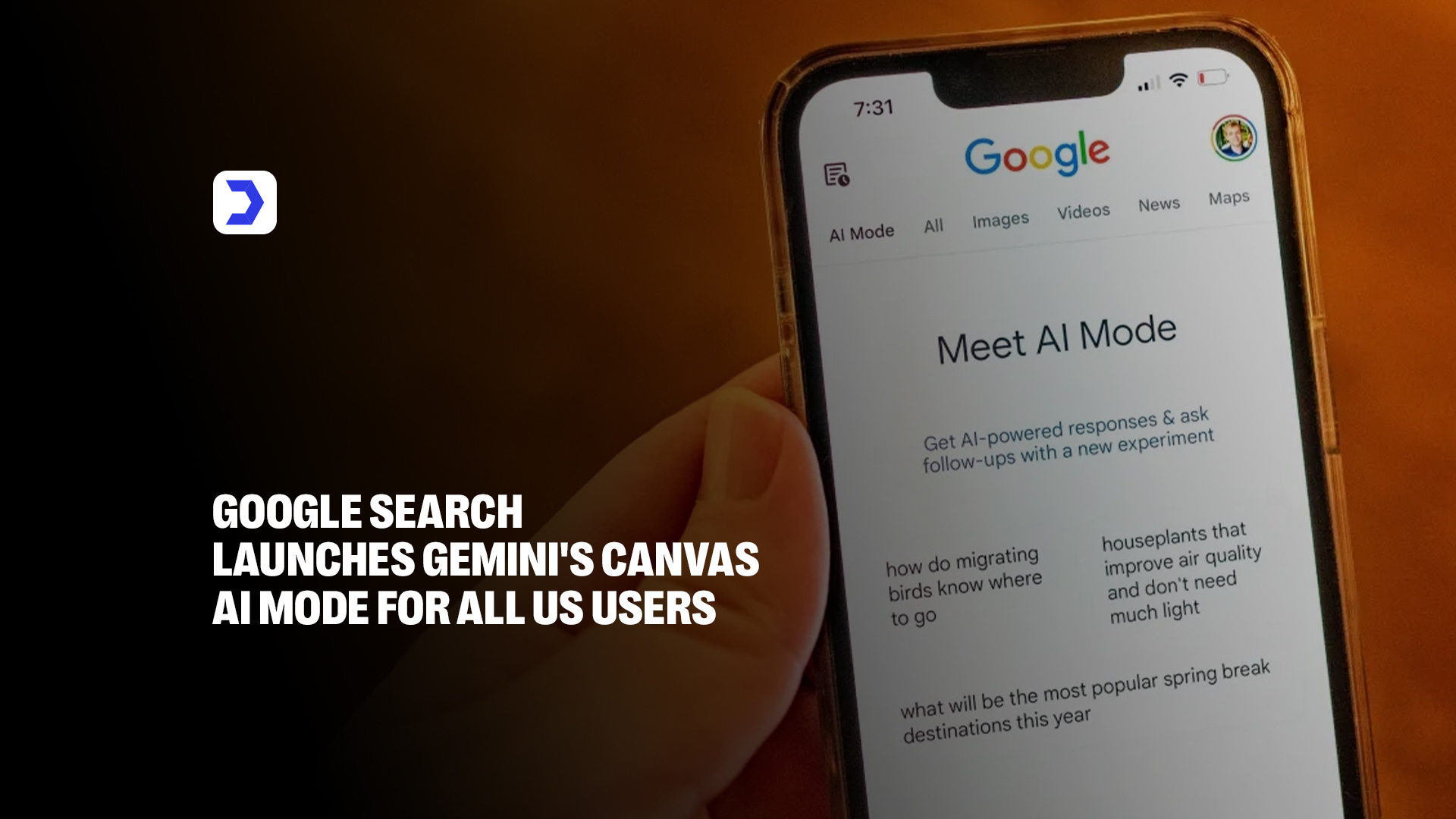
- Google has officially launched Canvas within AI Mode for all users in the United States, providing a dedicated workspace for productivity and creation.
- Unlike a standard chat, Canvas opens a persistent side panel in Google Search, allowing users to organize projects and keep context over multiple sessions.
- The tool empowers users to draft documents, refine creative writing, and even build functional prototypes, apps, or dashboards using Google Gemini.
- By combining real-time web information and the Knowledge Graph with generative AI, Canvas helps users turn ideas into structured tools or content efficiently.
- Users can actively collaborate with the AI, using natural language prompts to test, debug, and adjust their work within the same interface.
The digital landscape is shifting once again, and at the heart of this evolution is a powerful new integration. Google has officially launched the highly anticipated Canvas feature within AI Mode for all users across the United States. This development marks a significant milestone in how we interact with information, effectively transforming the traditional search experience into a dynamic, creative workspace. By leveraging the advanced capabilities of Google Gemini, this new interface allows users to move beyond simple queries and actively build, refine, and visualize projects directly within the browser.
For those keeping track of the latest advancements in technology and practical digital solutions, Digital Software Labs remains a primary resource for staying updated. This latest rollout represents the rapid integration of AI mode into daily workflows, bridging the gap between passive information retrieval and active, hands-on creation. It makes powerful generative tools accessible to a broader audience than ever before, turning the search page into a collaborative environment where ideas are not just found, but actively refined.
A side panel built for evolving ideas
At its core, Canvas is designed to be a dedicated, persistent workspace that lives alongside your search results. Think of it as a digital workbench that opens in a side panel, allowing you to maintain context while you iterate on your ideas. Whether you are drafting a document, sketching out a project plan, or organizing research data, this space is engineered to evolve with your needs.
The integration of Google’s search prowess with the generative power of Gemini creates a unique environment where real-time web information meets intelligent, structured organization, and readers who monitor these developments closely can stay informed on the deeper technical implications by reviewing the latest updates on our news section by Digital Software Labs. Unlike a standard chat interface that scrolls indefinitely, Canvas provides a stable surface to pin your thoughts, refine your drafts, and manage complex tasks, making it an ideal environment for users who need to organize, expand, and polish their work over an extended period.
From rough drafts to working tools
The utility of Canvas extends far beyond simple text editing. With the latest update, Google has significantly bolstered its capabilities, including robust support for both creative writing and coding tasks. Users can now move from a rough idea to a functional prototype with remarkable speed. When you have a vision for a custom tool, a dashboard, or even a small interactive game, Canvas helps turn that abstract concept into reality. You simply describe what you want, and the system pulls the most relevant, up-to-date information from the web to build a working prototype. This democratizes the development process, allowing users, even those without deep technical expertise, to build, iterate, and refine functional digital tools on the fly. It is a seamless transition from thought to execution, ensuring that your ideas are not just captured but actively brought to life.
How to use Canvas in AI Mode
Accessing this new functionality is straightforward for users in the U.S. When you are using Google Search in AI Mode, you will notice a new option in the tool menu—often represented by a + icon. Selecting “Canvas” from this menu immediately initializes the side panel, providing you with a clean, blank slate ready for your prompt. To begin, enter a description of the project you want to create. Whether you are generating a structured study guide, drafting a professional email, or prototyping a web app, the AI will populate the side panel with an initial draft or code base.
Once the baseline is established, you can use conversational follow-ups to make precise adjustments. Because Canvas is tightly integrated with the Gemini ecosystem, it understands these natural language instructions and applies them directly to the content within the panel. This iterative approach allows you to continuously refine your project, building complexity as you go.
The experiment that led to Canvas
The journey to this public launch was a careful, calculated process. Canvas first emerged as an experimental feature within the Google Labs program, where it was tested and refined based on user feedback. During that period, it existed as a playground for early adopters to explore the boundaries of what could be achieved when generative AI is paired with a persistent, document-like interface. This experimental phase was crucial in determining the most valuable use cases for users.
It became clear that people needed more than just a chat; they needed a space to hold, organize, and manipulate information. By observing how users interacted with the tool, the team behind Google Gemini was able to iterate on the features, refining the collaborative aspects, the speed of code generation, and the overall usability of the interface. This patient approach to development underscores the company’s commitment to releasing tools that provide genuine, tangible value.